
A footer is the section at the bottom of a webpage that appears consistently across all pages of a site. It typically contains supporting information and navigation that doesn’t belong in the main content area or primary header — things like contact details, secondary links, legal pages, social media icons, and copyright notices. While it’s the last thing a visitor sees on any given page, a well-designed footer is a meaningful part of the site’s overall structure and user experience.
Footers are more than a formality. Visitors who scroll to the bottom of a page are often the most engaged — they’ve consumed the content and are looking for their next step. A footer that anticipates those needs (a contact link, a newsletter signup, links to key service pages) can convert that engagement into action. From a technical standpoint, footers also serve as a consistent location for navigation that supports internal linking and provides search engines with context about the site’s structure.
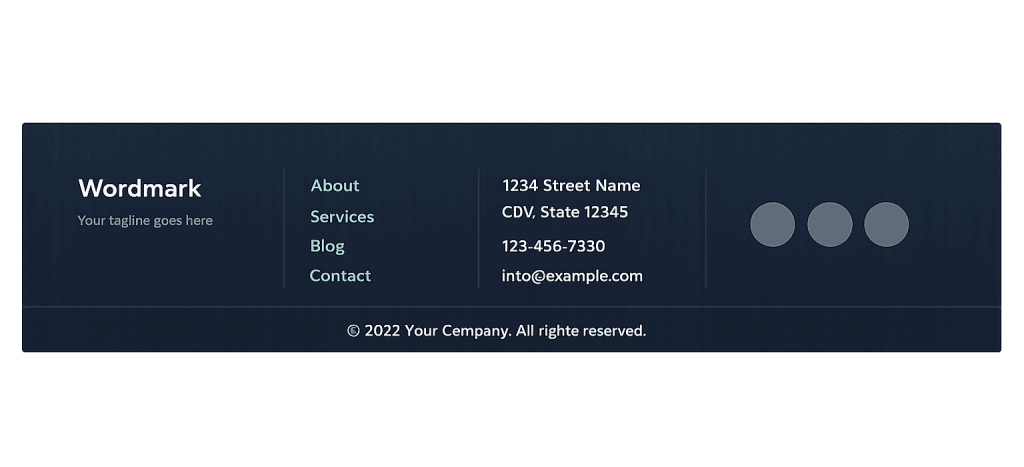
[Image: Example footer layout showing columns with navigation links, contact info, social icons, and copyright]
How Footers Work in WordPress
In WordPress, footers are managed differently depending on the theme type and how the site is built:
- Classic themes — Footers are typically defined in a
footer.phptemplate file and customized via the Customizer or widgets in a footer widget area. What appears in the footer depends on which widgets have been added to those areas. - Block themes (FSE) — In themes using Full Site Editing, the footer is a template part — an editable, reusable block-based section that can be visually customized in the Site Editor without touching code.
- Page builders — Builders like Elementor or Divi include footer builder modules that let you design the footer visually and assign it globally or to specific page types.
The footer markup always wraps the content in a <footer> HTML element, which carries semantic meaning for accessibility tools and search engines — signaling that this section contains site-wide contextual information rather than primary content.
Purpose & Benefits
1. Navigation for Engaged Visitors
Visitors who reach the footer are still on your page — they’ve finished reading (or decided not to scroll further) and are considering their next move. A footer with clear links to your main service areas, contact page, and key resources captures that intent. Many businesses put their most important calls to action in the footer for exactly this reason — it’s the last chance to direct someone who is ready to act. Our WordPress development services always include a footer strategy as part of the broader navigation architecture.
2. Supporting Internal Linking and SEO
Footers that include links to important pages contribute to your site’s internal linking structure. This helps search engines understand which pages matter most and ensures those pages receive link equity from every page on the site. A footer link to your primary service page or contact page, present on every URL, sends a consistent signal about those pages’ importance — without requiring that signal to come from the main body content of every individual page.
3. Trust and Credibility Signals
A professionally designed footer communicates that a business is established and trustworthy. Visitors often check the footer for contact information, business credentials, and legal pages (privacy policy, terms of service) when they’re evaluating whether to trust a site. Footers that include a physical address, phone number, professional association logos, or a brief mission statement reinforce the brand’s credibility at the moment visitors are deciding whether to take action. Our web design services treat the footer as an extension of the overall brand experience.
Examples
1. A Service Business Footer With Location and Contact
A landscaping company’s footer contains three columns: contact info (phone, email, address), links to service pages (Lawn Care, Hardscaping, Snow Removal), and a brief “About” blurb with a newsletter signup. The copyright line is at the very bottom. Visitors who scroll past the main service page content find everything they need to contact the business or explore other services — without returning to the top of the page.
2. An eCommerce Store Footer With Policy Links
A WooCommerce store footer includes links to Shipping Policy, Return Policy, and Privacy Policy — critical trust signals for first-time shoppers who are on the fence. Alongside these, it features links to product categories, a customer service email, and social media icons. This footer reduces friction at the point where visitors might be questioning whether to make a purchase, giving them easy access to the information that builds buying confidence.
3. A Blog or Media Site Footer With Content Sections
A content-heavy site uses a four-column footer: popular categories, recent posts, social media, and a newsletter signup form. The emphasis is on encouraging deeper engagement — pointing visitors toward related content rather than selling a specific product or service. This footer strategy increases pages per session and builds the email list, both of which serve the site’s content marketing goals.
Common Mistakes to Avoid
- Overcrowding the footer with every page on the site — A footer crammed with 40 links creates visual noise and dilutes the navigation value. Prioritize the links that matter most — main service categories, contact, and essential legal pages — and be selective about what else earns a spot.
- Forgetting mobile usability — Multi-column footer layouts that look clean on desktop often collapse into an unreadable wall of links on mobile. Design the footer responsively and test it at mobile screen sizes before launch.
- Using the footer as a dumping ground for low-priority content — The footer should be a curated navigation aid, not a place to put things you can’t find a better home for. If something is genuinely important, it belongs in the main navigation or body content.
- Generic copyright text with no useful links — A footer that contains only “© 2024 Company Name” misses the opportunity to serve visitors or support SEO. Even a minimal footer should include at least a contact link and a privacy policy.
Best Practices
1. Include a Clear Path to Contact
Every footer should make it easy to get in touch. Whether that’s a phone number, email address, contact form link, or all three, the footer is where visitors look when they’ve made the decision to reach out. Don’t make them hunt for this information. A clear “Contact Us” link or prominent phone number in the footer reduces the friction between intent and action — especially on mobile, where tapping a phone number to call is one tap away.
2. Keep the Footer Consistent With Your Brand
The footer should feel like it belongs to the same site as the header and body content — consistent fonts, colors, and tone. An inconsistent footer (wrong color palette, mismatched logo, different typography) signals a lack of polish and can undermine the trust the rest of the page worked to build. In WordPress, using a well-structured WordPress theme or FSE template part ensures the footer inherits the site’s global styles automatically.
3. Use the Footer to Reinforce Your Most Important Pages
Beyond navigation, the footer is a reliable location for internal linking to your most commercially important pages. A service business might link to its top three service pages from the footer — ensuring every page on the site passes some link equity to those pages. Think of footer links as a persistent sitemap of your strategic priorities, present on every URL on your domain.
Frequently Asked Questions
What should a footer always include?
At minimum: a link to your contact page or a contact method (phone or email), copyright notice, and a privacy policy link. Most business sites also benefit from links to key service or product categories, social media profiles, and a brief tagline or description that reinforces what the business does. The exact content depends on your site’s purpose and audience.
How do I edit the footer in WordPress?
It depends on your setup. In block themes using Full Site Editing, go to Appearance → Editor and edit the Footer template part. In classic themes, go to Appearance → Widgets and add content to the footer widget areas. In page builders like Elementor, use the Theme Builder’s footer module. If none of these options are available, your theme may require PHP edits to footer.php — which is a developer task.
Should I add a newsletter signup to my footer?
It’s a good placement for newsletter signups, with one caveat: don’t let it take over the footer layout. A compact signup form or a single-line email input with a submit button can sit comfortably in a footer column without crowding other navigation. If email capture is a high-priority goal, consider a dedicated section above the footer rather than relying solely on the footer form.
Does the footer affect SEO?
Yes, indirectly. Footer links contribute to your internal linking structure, and well-organized footers help search engines understand your site architecture. Footer content is weighted differently than body content — links from the footer carry less SEO value than links from within the main content of a page — but they still matter, especially for your most important pages that you want consistently linked across the whole site.
Can I have different footers for different pages?
In many WordPress setups, yes. Block themes with Full Site Editing support multiple footer template parts that can be assigned to different page templates. Some page builders support page-specific footer assignments as well. Having a different footer on landing pages (stripped down, no distracting links) versus the main site pages (full navigation footer) can improve conversion rates on campaign landing pages.
Related Glossary Terms
How CyberOptik Can Help
A footer that works is one that’s designed with purpose — not just something that got added at the end of a project. We build footers as part of the complete site architecture: designed for usability, built for consistency across devices, and structured to support your SEO goals. Whether you need a redesign of an existing footer or a complete new site build, we can help. See our web design services or contact us to start a project.


